TABLE OF CONTENTS
1. Turn on Speaker Amp
Speaker amp is on when light ring around the power button is blue (refer to green arrow).
DO NOT turn off the wattbox, this powers the audio system and the network in the church (refer to red arrow).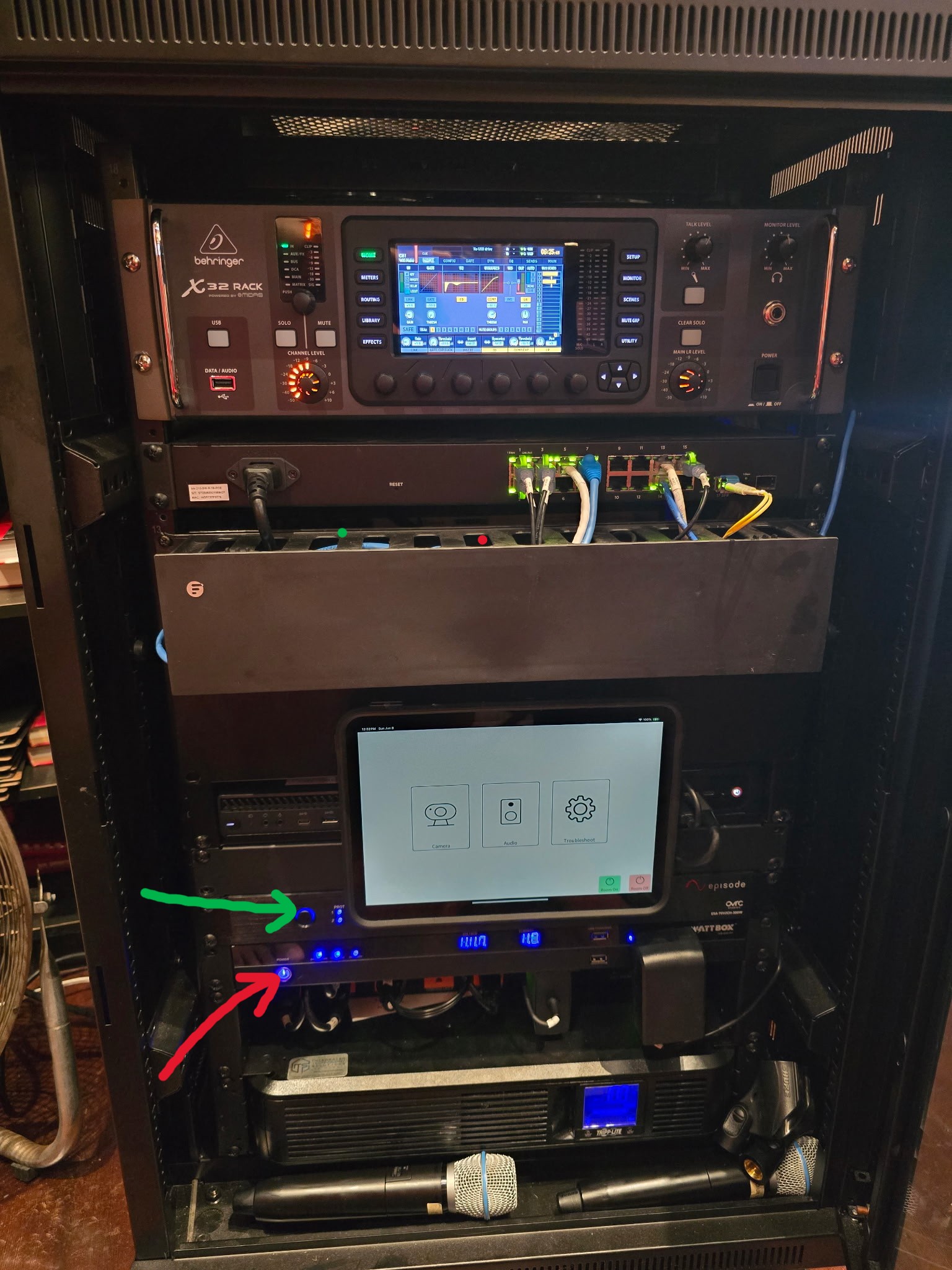
2. Turn on Microphones
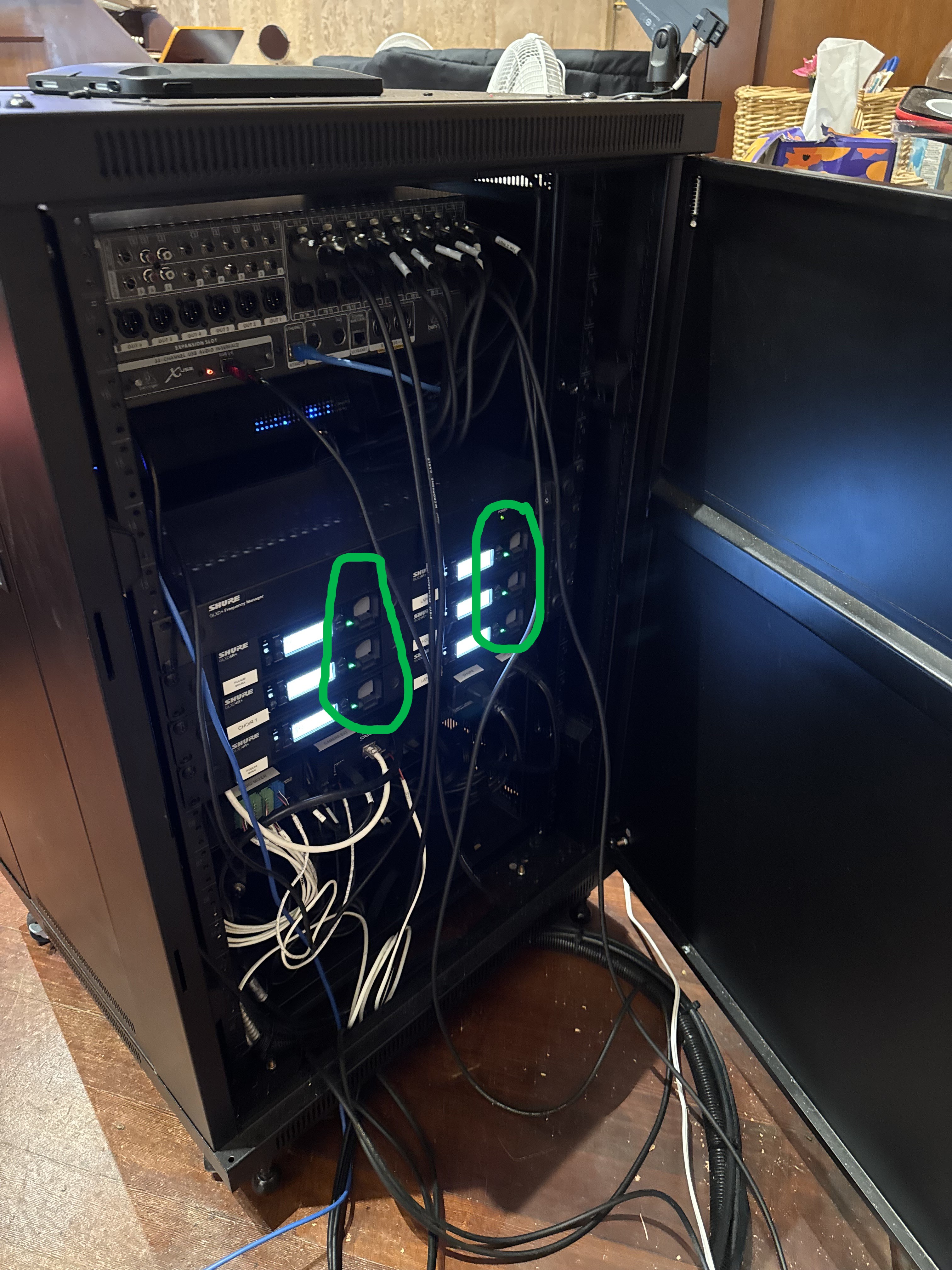
Switch on wired podium mics, put batteries in wireless mics, piano and ambient mics are always on. Batteries are located at the back of the rack. 6 Gray batteries that have a charging light next to them and a label for their respected microphone (refer to green circles).
3. Unlock Audio System
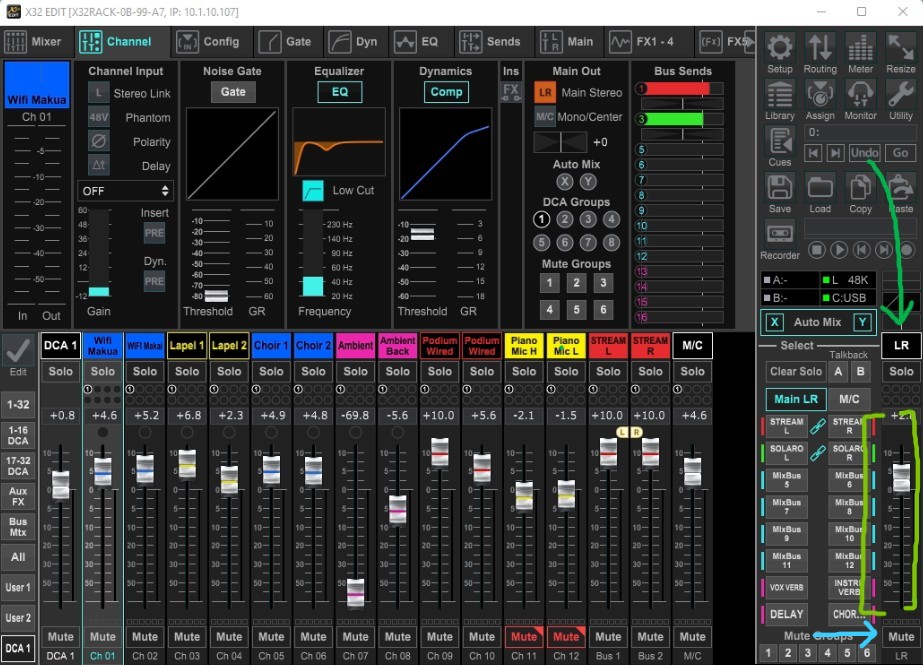
If the speakers are not outputting the microphone input, the system most likely locked the speakers when the speaker amp was turned off/on. To unlock the speakers, open X32 EDIT adjust the primary stereo output volume (fader) up or down a bit (refer to green lines on the right side of screenshot). Alternatively you can try muting then unmuting the output as it just needs a signal to get out of idle (refer to blue arrow at the bottom right)
Troubleshooting/Notes
Feedback
If receiving feedback, turn down the volumes under the DCA 1 and M/C labels until feedback is gone. If feedback persist, try to ensure mics do not get too close to each other or the speakers.
Muted Mics
You will know an output is muted if the mute tab below the respected output is red (refer to both Piano Mics). If you want to mute all mics from the speakers mute LR (right side next to LR). To mute the livestream volume, mute both STREAM L and STREAM R.
4. Wrapping up
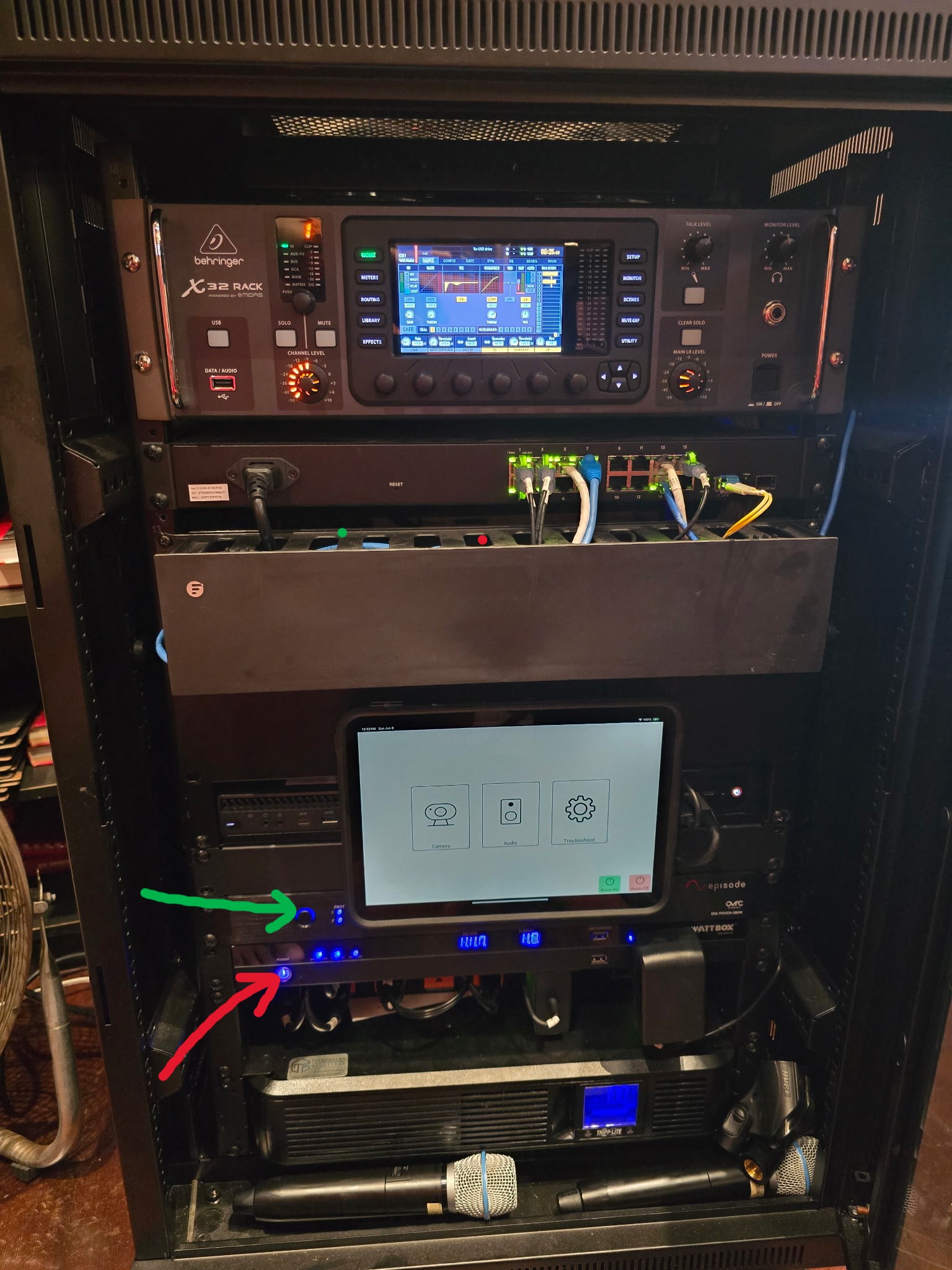
Turn off wired podium mics, remove batteries from wireless mics and charge them. Turn speaker amp off (refer to green arrow). Again DO NOT turn off wattbox (refer to red arrow).
Was this article helpful?
That’s Great!
Thank you for your feedback
Sorry! We couldn't be helpful
Thank you for your feedback
Feedback sent
We appreciate your effort and will try to fix the article