Purpose
Allow owners/admins to give door access for tenants/authorized persons. Please go through entire article including the FAQ.
Create User
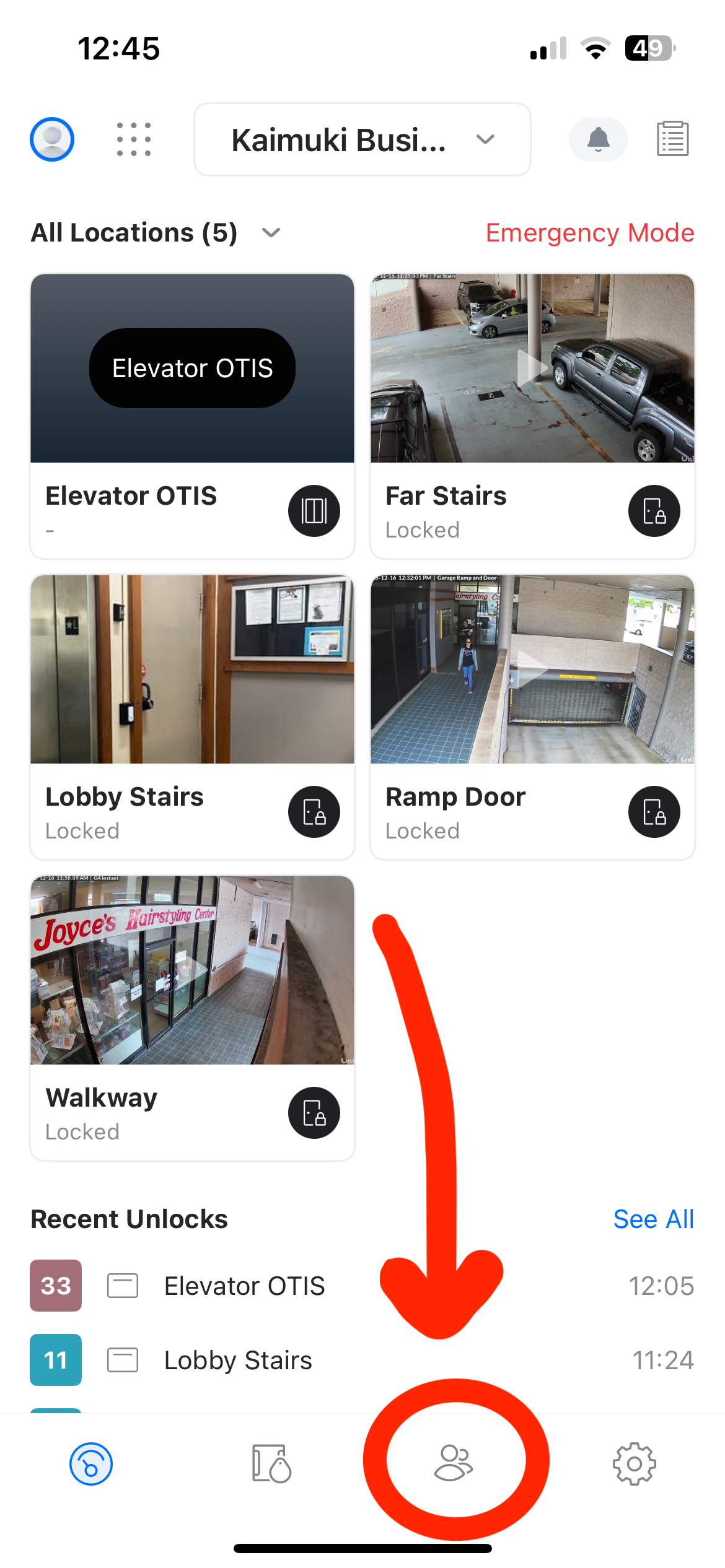
- Within the UniFi Access app, select the user tab and the bottom menu.
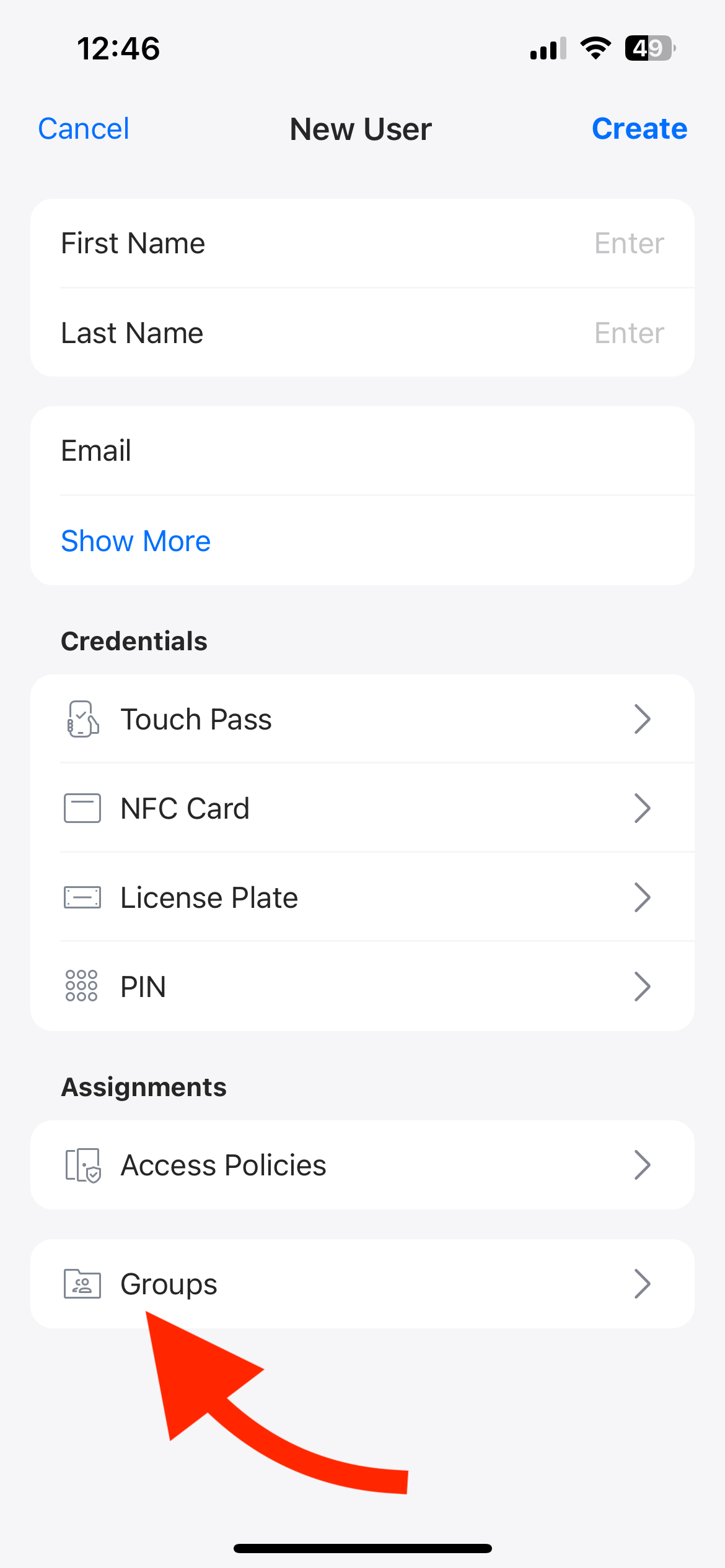
- Create a new user by hitting the plus icon on the top right (This email is what the users account will be connected to).
*NOTE* when creating a user ensure you assign the group as "Kaimuki Business Center"

Set Role for User (IMPORTANT)
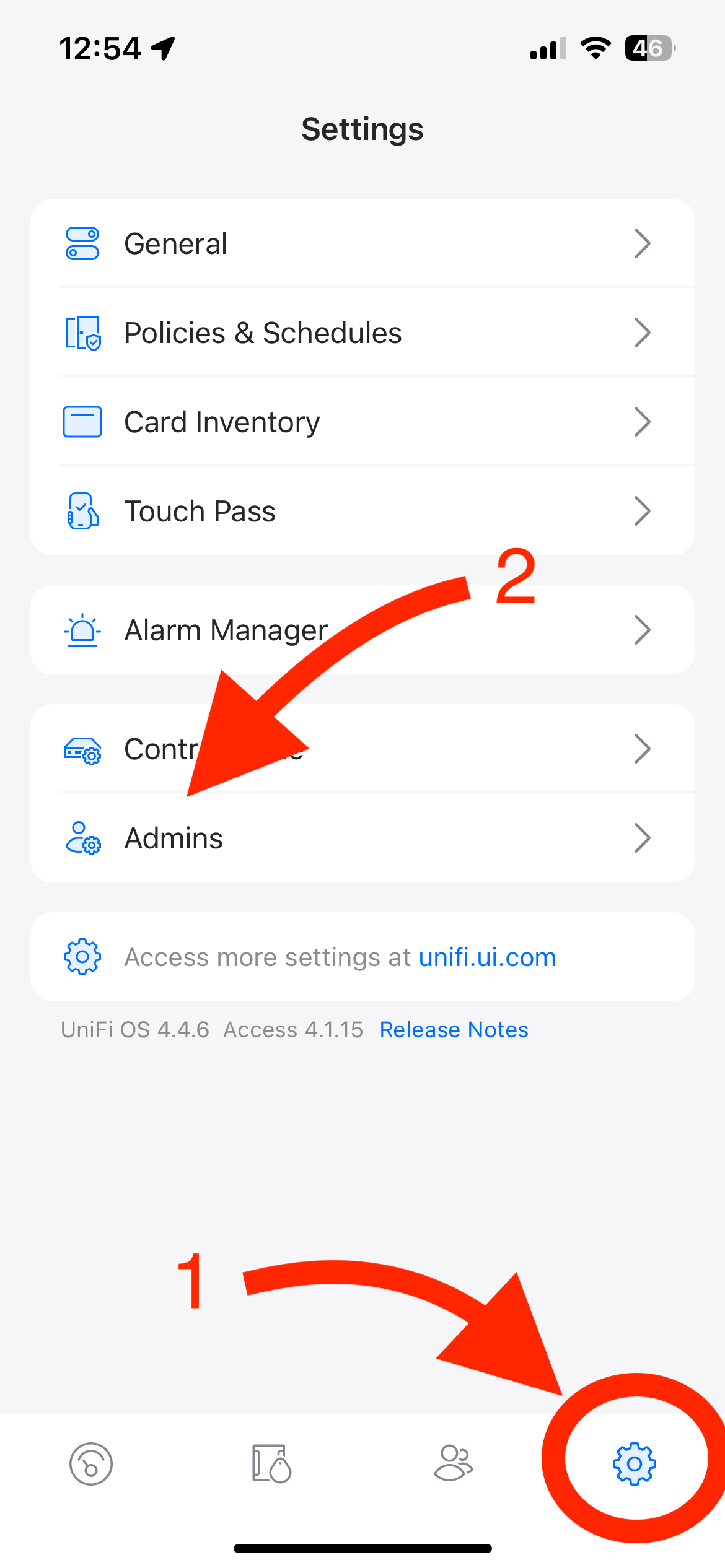
- Select the settings tab in the bottom menu then admins option.
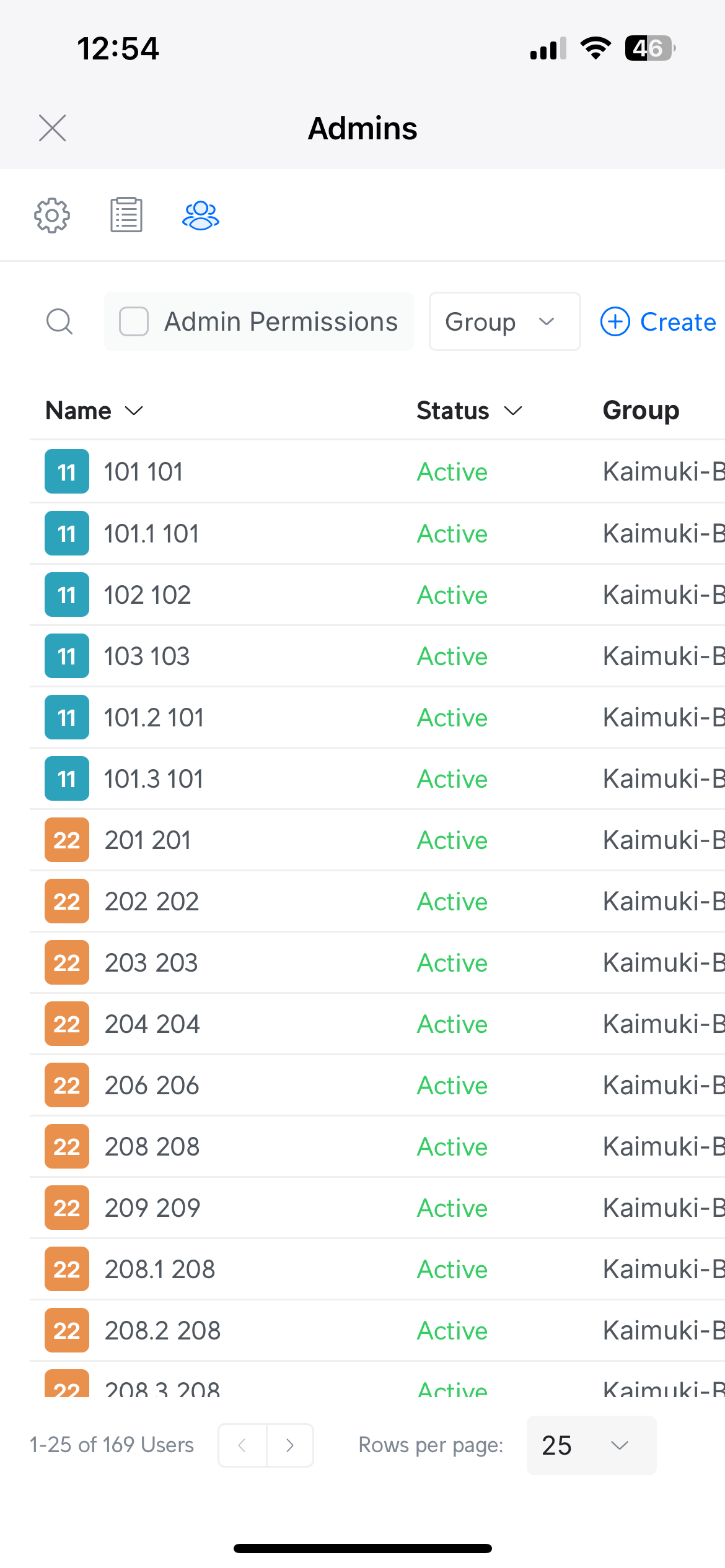
- It will bring up this screen where you must find the user and select their account (by default the order is alphabetical by name). Then select the gear icon near the top right.
- Ensure the proper options are selected for the user, Admin box is checked, and the predefined role is set to "Tenants"
*NOTE* Once the role is set and "Apply Changes" is selected, the user will receive an invitation for UniFi Access.

FAQ
- If the user is not showing up on the admins page, the app may have not fully processed yet. Give it some time (15-30 seconds) and restart the app.
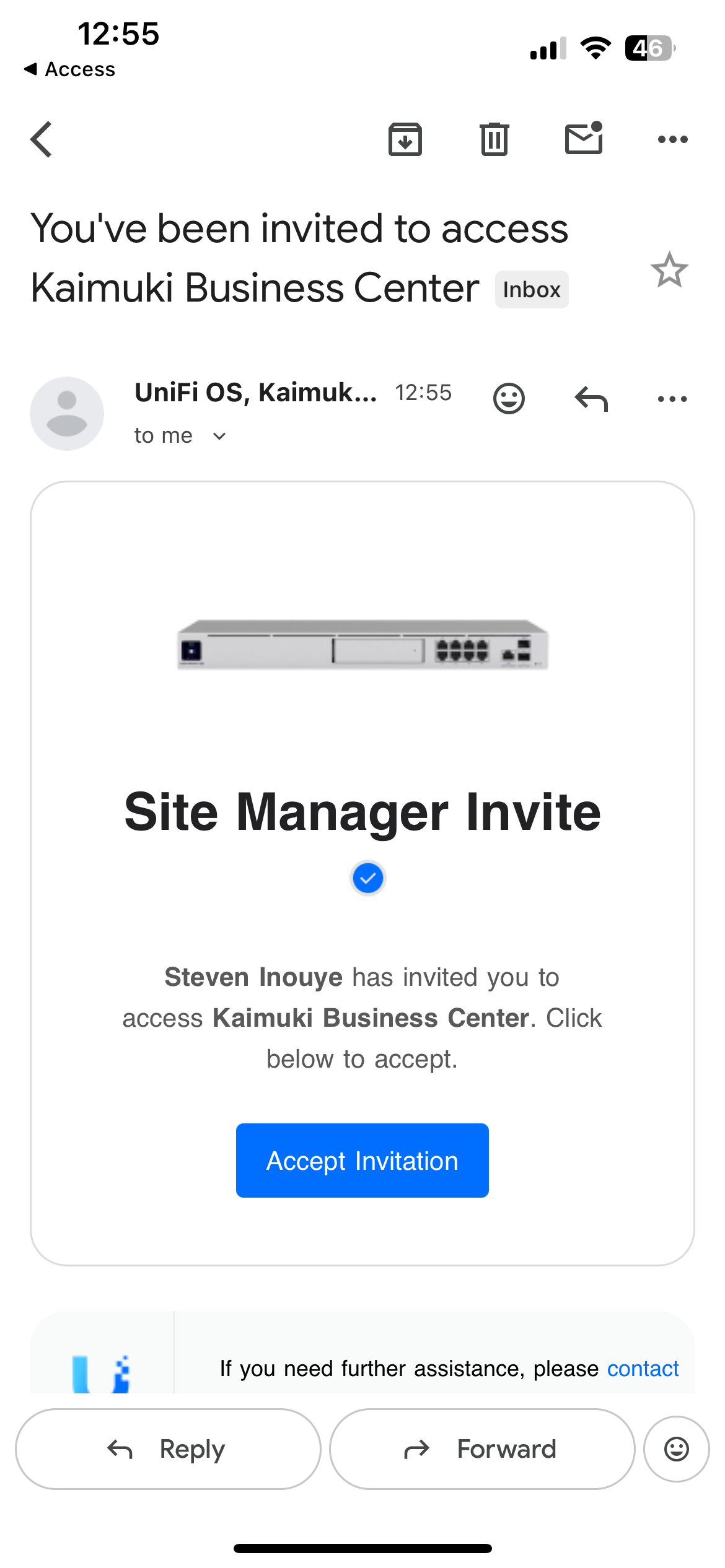
*NOTE* The email the tenants will receive look something like this (image below) ignore emails for
"UniFi Identity Endpoint"
Was this article helpful?
That’s Great!
Thank you for your feedback
Sorry! We couldn't be helpful
Thank you for your feedback
Feedback sent
We appreciate your effort and will try to fix the article