Purpose
Inform authorized personal how to set the schedule for UniFi elevator.
Setting Schedule in UniFi Access (Mobile App)
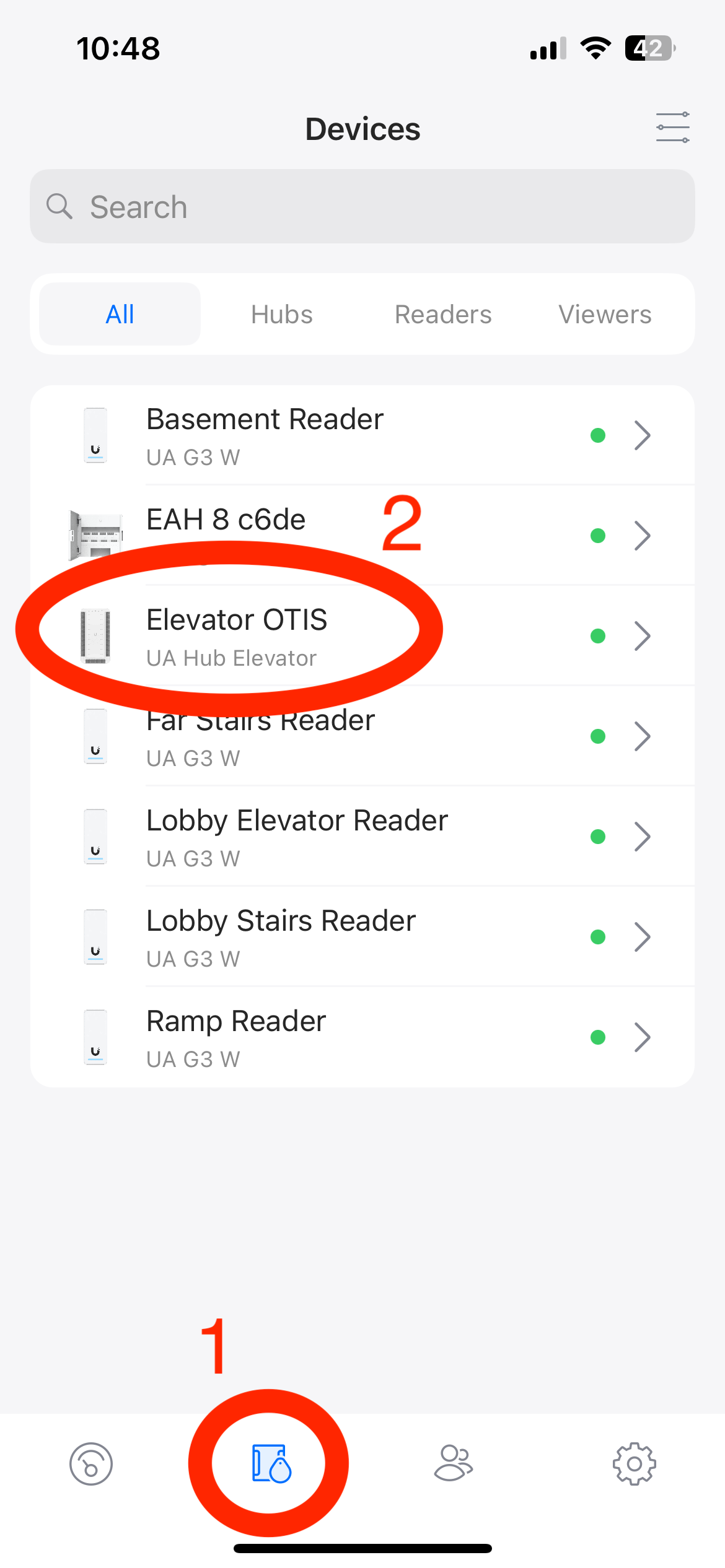
- Select Devices -> Elevator OTIS
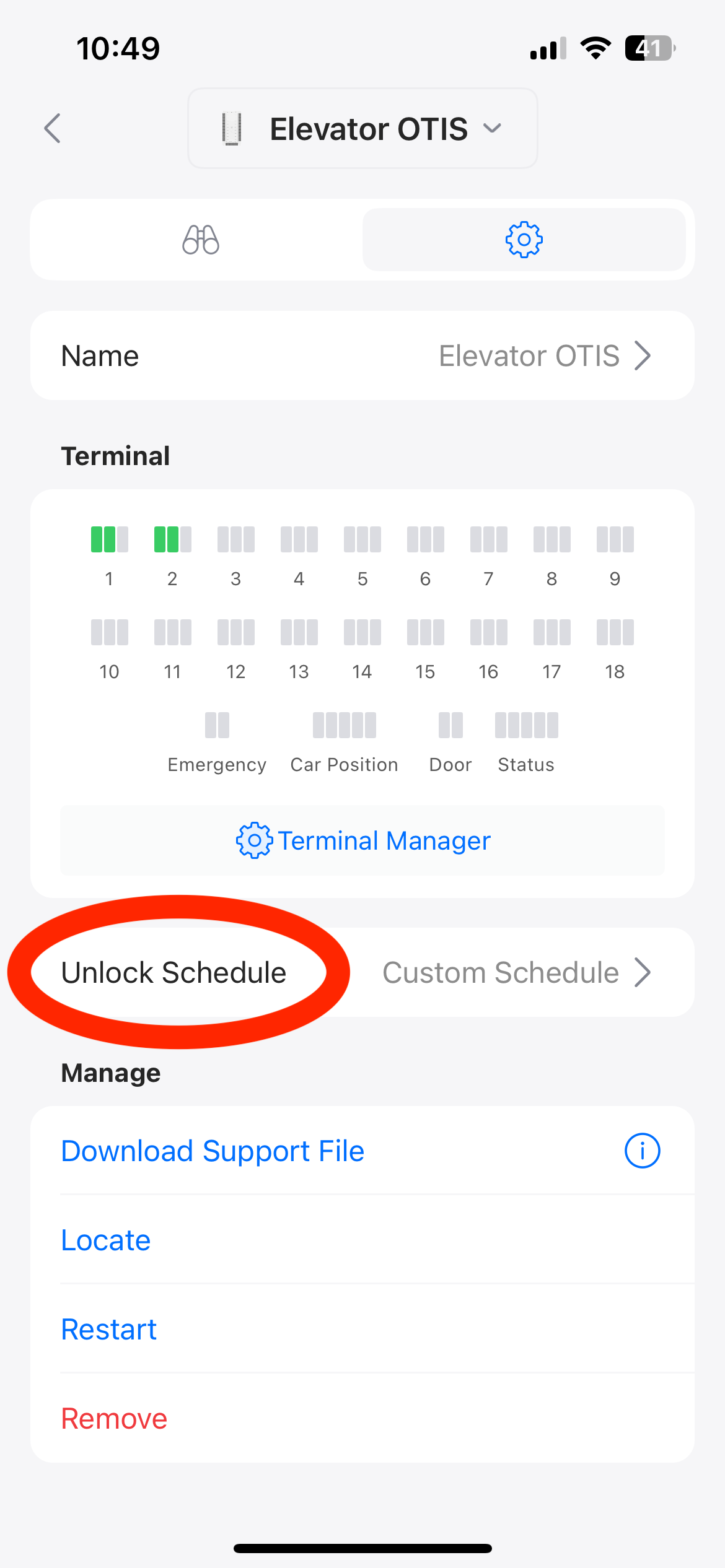
- Choose the Unlock Schedule to open schedule menu
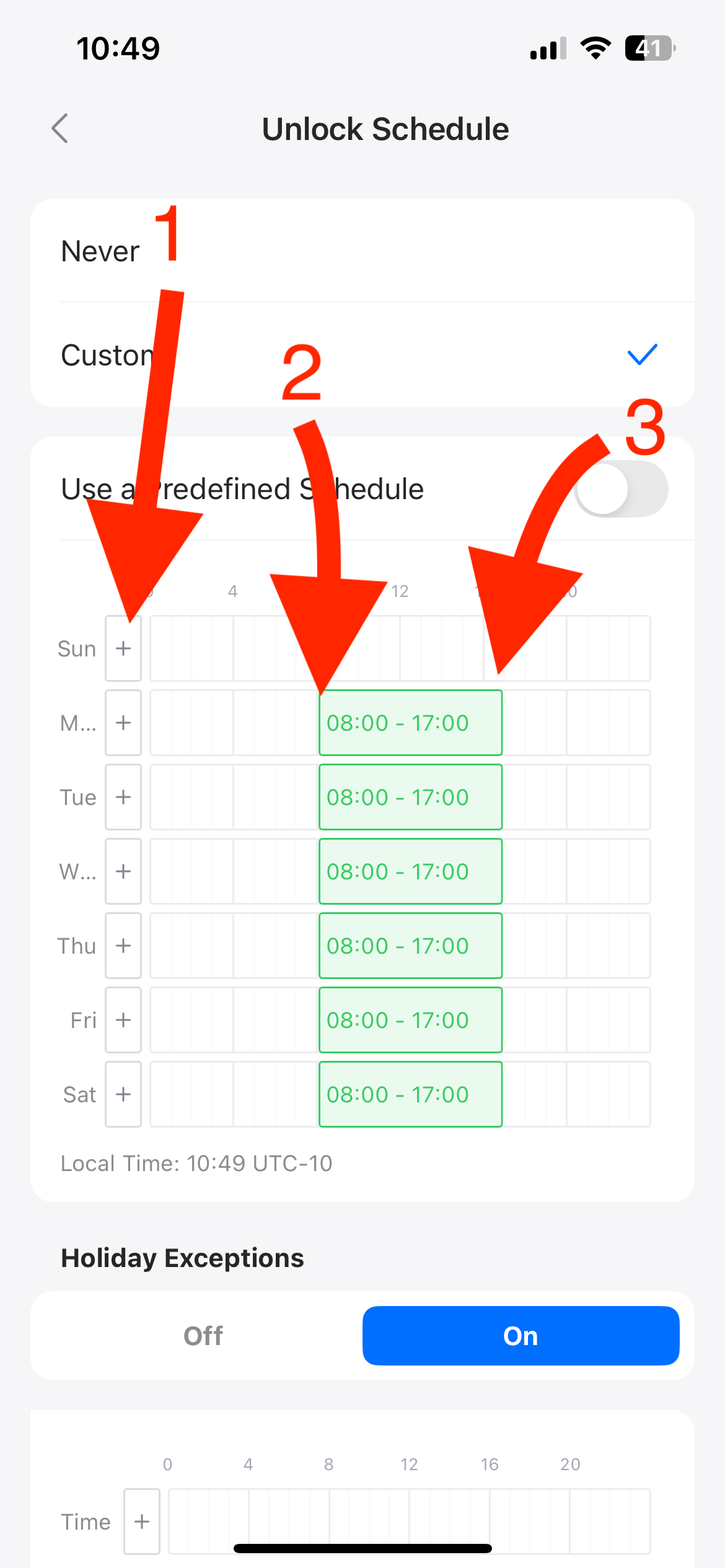
- The times within the green means open(accessible without reader) any time outside of that requires the reader to be unlocked before usage. Within the menu...
- Add another time slot
- Move the start of the time slot earlier/later
- Move the back of the time slot earlier/later
- It is also possible to move/delete the time slot completely by selecting it
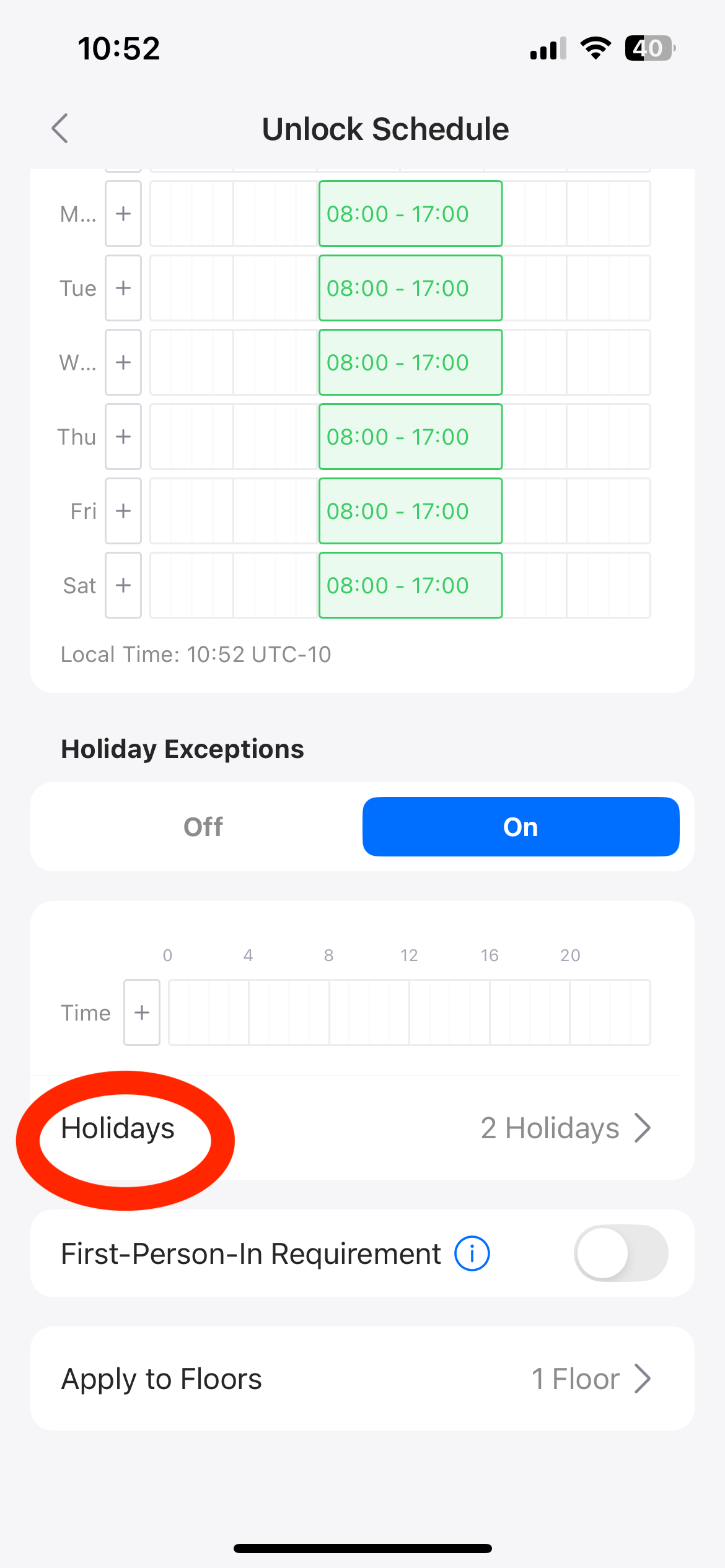
- For Holidays, selecting the "Holidays" tab will allow you to create a holiday. As of now Holidays are set as a full day (24 hour) locked state
Was this article helpful?
That’s Great!
Thank you for your feedback
Sorry! We couldn't be helpful
Thank you for your feedback
Feedback sent
We appreciate your effort and will try to fix the article